
Want me to trust Windows 11 again? Bring back local accounts:
Microsoft knows we want local accounts, not Microsoft accounts, but I don't think they'll deliver ...
pcworld.com/article/3102428/want-me-to-trust-windows-11-again-bring-back-local-accounts.html
Story Details
| Last Updated | |
| Total Articles | 11 |
Main Topics

News on this topic

New Windows 11 emergency update fixes preview update install issues: Microsoft released an emergency update to fix the March 2026 KB5079391 non-security preview ...
bleepingcomputer.com/news/microsoft/new-windows-11-kb5086672-emergency-update-fixes-install-issues/



Microsoft Pulls Recent Windows 11 Update After Installation Meltdown: While the latest Windows 11 preview update does include lots of improvements ...
hothardware.com/news/microsoft-pulls-recent-windows-11-update-after-installation-meltdown
More articles on this subject
Previous

Want me to trust Windows 11 again? Bring back local accounts: Microsoft knows we want local accounts, not Microsoft accounts, but I don't think they'll deliver ...
pcworld.com/article/3102428/want-me-to-trust-windows-11-again-bring-back-local-accounts.html


Microsoft yanks Windows 11 preview update after install failures: : KB5079391 pulled after some devices hit errors, adding to recent quality woes
theregister.com/2026/03/30/microsoft_faulty_windows_update/

Windows 11: Microsoft withdraws update KB5079391 after installation problems: A few days ago, the optional preview update KB5079391 for Windows 11 versions 25H2 ...
stadt-bremerhaven.de/windows-11-microsoft-zieht-update-kb5079391-nach-installationsproblemen-zurueck/


If Microsoft really wants to fix Windows 11, it should do these four things ASAP: Opinion: Microsoft says it's listening to feedback and getting back to ...
zdnet.com/article/how-to-fix-windows-11/


Next
Similar to This
Previous

Microsoft confirms authentication issues after November updates: Microsoft has confirmed that customers may experience authentication issues after installing ...
bleepingcomputer.com/news/microsoft/microsoft-confirms-authentication-issues-after-november-updates/


Windows 11: KB5132057 won’t install: Update issues on Windows 11 appear to be continuing. After the November security update already caused problems for some ...
pcgameshardware.de/Windows-Software-277633/News/Windows-11-KB5132057-Update-Installationsfehler-Probleme-1560961/

Notebookcheck Nov 25
Windows 11 26H2 is installing itself: What to check before the update: Since Nov. 18, Microsoft has been pushing Windows 11 26H2 automatically to personal PCs ...
notebookcheck.net/Windows-11-26H2-is-installing-itself-What-to-check-before-the-update.1456847.0.html


Final 2026 Windows 11 optional update KB5132057 fails to install: Windows 11's final 2026 optional update, KB5132057, hits an installation roadblock for ...
neowin.net/news/final-2026-windows-11-optional-update-kb5132057-fails-to-install/
Microsoft confirms Windows printing issues affecting Forcepoint users: Microsoft confirmed printing issues on systems running Forcepoint DLP software after ...
bleepingcomputer.com/news/microsoft/microsoft-confirms-printing-issues-after-kb5132043-windows-hotpatch/


Windows 11: Microsoft releases four new Recovery & OOBE updates: Fresh recovery updates for Windows 11 are available at the start of the week ...
winfuture.de/news,162845.html


Microsoft pausiert optionale Windows-Updates bis Januar 2027: Microsoft legt bei Windows 11 eine Weihnachtspause ein: Im Dezember entfallen die optionalen ...
winfuture.de/news,162829.html
Microsoft now automatically installs Windows 11 26H2 on unmanaged devices: Starting this week, Microsoft has begun automatically upgrading eligible devices that ...
bleepingcomputer.com/news/microsoft/microsoft-now-automatically-installs-windows-11-26h2-on-personal-and-unmanaged-pcs/

Microsoft suggests Registry hack to work around hotpatch woes: App problems in Windows after default hotpatching? Who could have foreseen that?
theregister.com/os-platforms/2026/11/20/microsoft-suggests-registry-hack-to-work-around-hotpatch-woes/5311279

Windows 11 KB5132057 update released with 28 changes and fixes: Microsoft released the KB5132057 November Windows 11 preview update, which comes with 28 changes ...
bleepingcomputer.com/news/microsoft/windows-11-kb5132057-update-released-with-28-changes-and-fixes/


Next availability phase: Windows 11 26H2 now downloads automatically: Step-by-step, automatic, and without manual searching: Microsoft is accelerating the ...
winfuture.de/news,162791.html
Windows 11: Fresh Insider Update tests new taskbar preview: New Insider Preview builds for Windows 11 will be available midweek. The focus is on a new ...
winfuture.de/news,162765.html
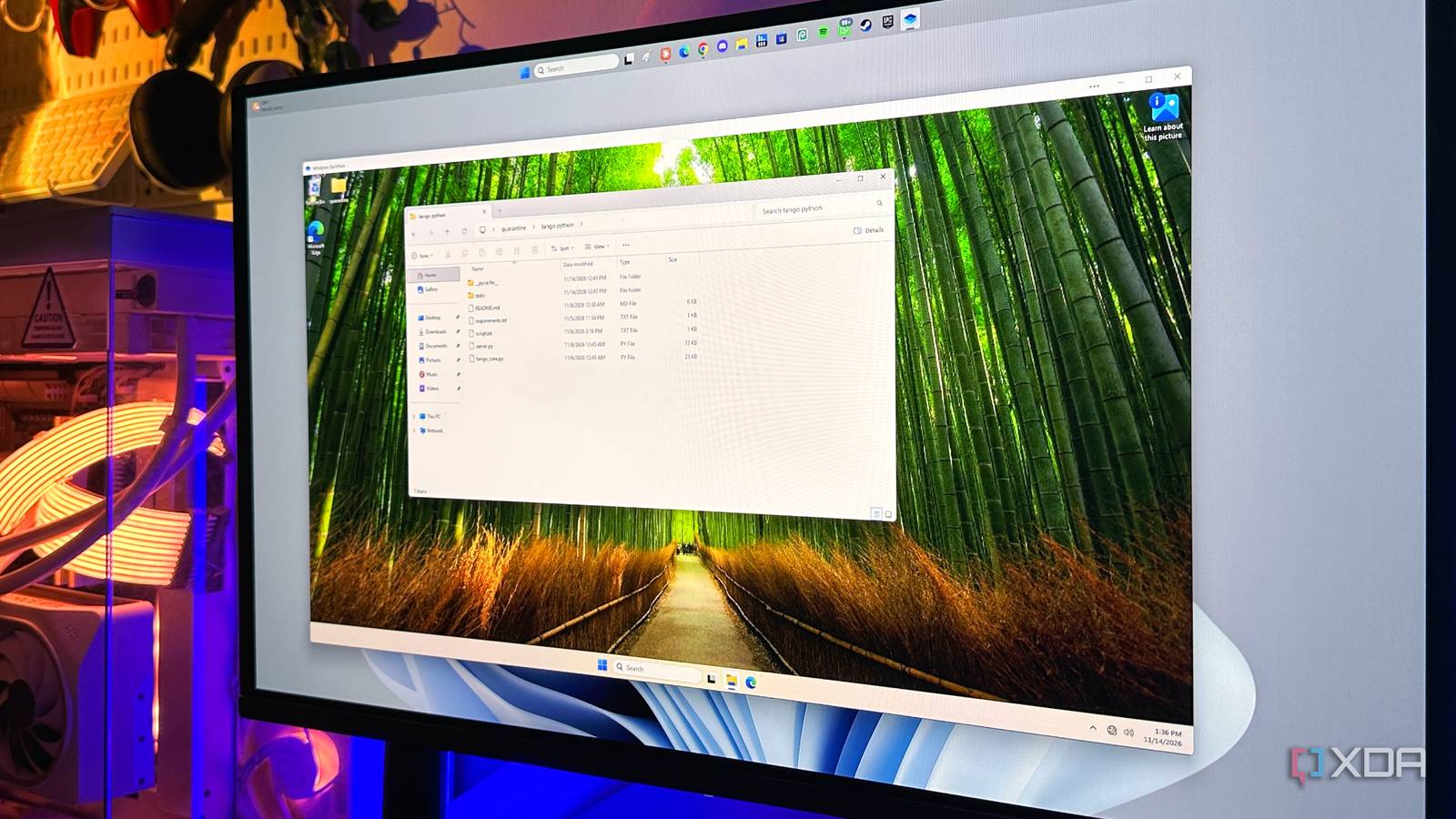
Key FactsWindows Sandbox keeps risky files away from the main system
2 days ago · Reading time: ~30 sec.
Summary created with AI assistance · Source: xda-developers.com
- The feature launches a temporary Windows system kept apart from the host by hardware virtualization and its own kernel.
- After it closes, the virtual disk, memory, registry, and files stored in the environment are removed.
- A launch file ending in .wsb can block network access and connections such as clipboard or device sharing.
- The sandbox does not guarantee complete security: sharing weakens separation, and malware tailored to virtual environments remains dangerous.
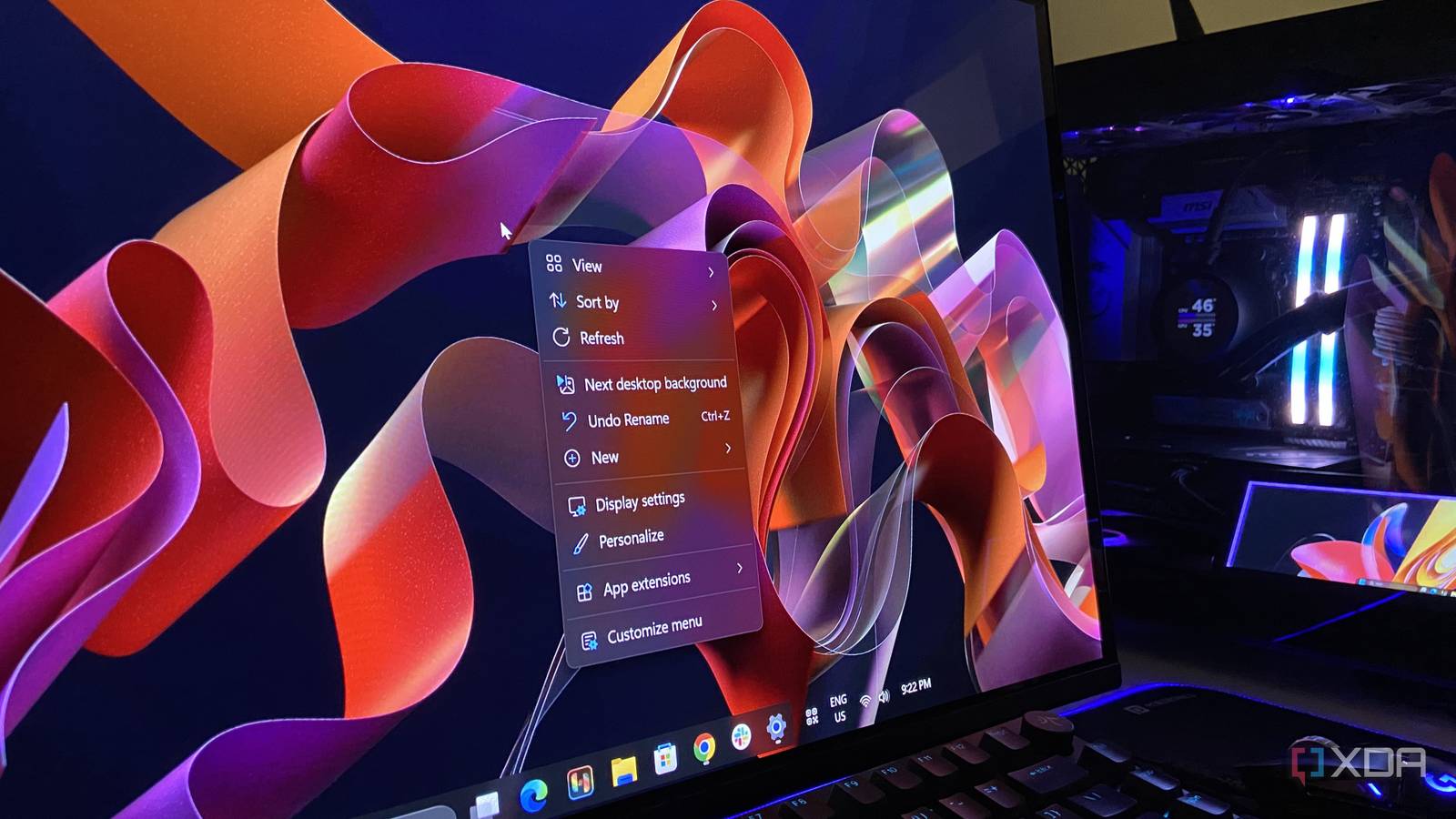
Key FactsMicrosoft promises a faster Windows 11 context menu with KB5127936
Nov 5, 2026 · Reading time: ~45 sec.
Summary created with AI assistance · Source: xda-developers.com
- KB5127936 is available as an optional update; its official rollout is set to begin with the mandatory update on November 10, 2026.
- In the author's OBS test, the old context menu took about 200 milliseconds to render, compared with 50 for the new menu.
- App entries moved into the “App extensions” submenu, reducing the desktop context menu from 11 entries to nine.
- The gradual rollout did not enable the menu automatically after installation; the author activated it with ViVeTool, feature ID 60813048.
“Five years on, I can confidently say that time never arrived.”— Abhinav, the article’s author, reflecting on never getting accustomed to Windows 11’s right-click menu after its introduction.

Next