
Story Details
| Last Updated | |
| Total Articles | 4 |
Main Topics


News on this topic

How to use Internet Explorer on Windows 11: Internet Explorer actually runs on Windows 11, after all. Microsoft said it had disabled the browser ...
theverge.com/tldr/2022/8/3/23290171/how-to-use-internet-explorer-windows-11-why-microsoft-why

This iconic Windows 11 tool isn’t getting ditched… yet: Windows 11 update doesn’t kill off the Control Panel – but it does deliver a serious blow.
techradar.com/news/this-iconic-windows-11-tool-isnt-getting-ditched-yet

Discord Aug 01 22
Latest Windows 11 update spells doom for a longstanding tool: Microsoft's latest Windows 11 update messes with one of the oldest parts of the operating ...
pcgamesn.com/windows-11/update-control-panel-changes
Similar to This
Previous


Windows 11: MTP via Bluetooth is now considered obsolete - | The consequences: Microsoft is phasing out two features in Windows 11. MTP via Bluetooth and the ...
winfuture.de/news,162882.html


Windows 11 KB5132057 update released with 28 changes and fixes: Microsoft released the KB5132057 November Windows 11 preview update, which comes with 28 changes ...
bleepingcomputer.com/news/microsoft/windows-11-kb5132057-update-released-with-28-changes-and-fixes/


Your Windows desktop is a mess. Fix it in 5 minutes: Too many windows? Too much clutter? These three simple Windows 11 tweaks can make your PC a much nicer place ...
pcworld.com/article/3288629/your-windows-desktop-is-a-mess-fix-it-in-5-minutes.html

Key FactsWindows UserAssist Has Counted App Launches Since 2000
6 days ago · Reading time: ~30 sec.
Summary created with AI assistance · Source: xda-developers.com
- In February 2000, Windows 2000 introduced personalized Start menus; UserAssist counted the programs users opened to support the feature.
- On the author’s Lenovo Legion 5 Pro, UserAssistView found 325 entries dated back to May 2022; Photos led with 164 launches, followed by Snipping Tool with 128.
- In Windows 11 Pro 26H2, the toggle is enabled by default under Settings > Privacy & Security > Recommendations & offers > Improve Start and search results.
- Forensic analysts have noted that on Windows 10 and later, UserAssist can also list apps that were never actually launched.

windowslatest.com Nov 18

Apps could soon refuse to run on your Windows 11 PC if it fails Microsoft’s new security check, and Adobe and Battle.net are already on board
windowslatest.com/2026/11/18/apps-could-soon-refuse-to-run-on-your-windows-11-pc-if-it-fails-microsofts-new-security-check-and-adobe-and-battle-net-are-already-on-board/

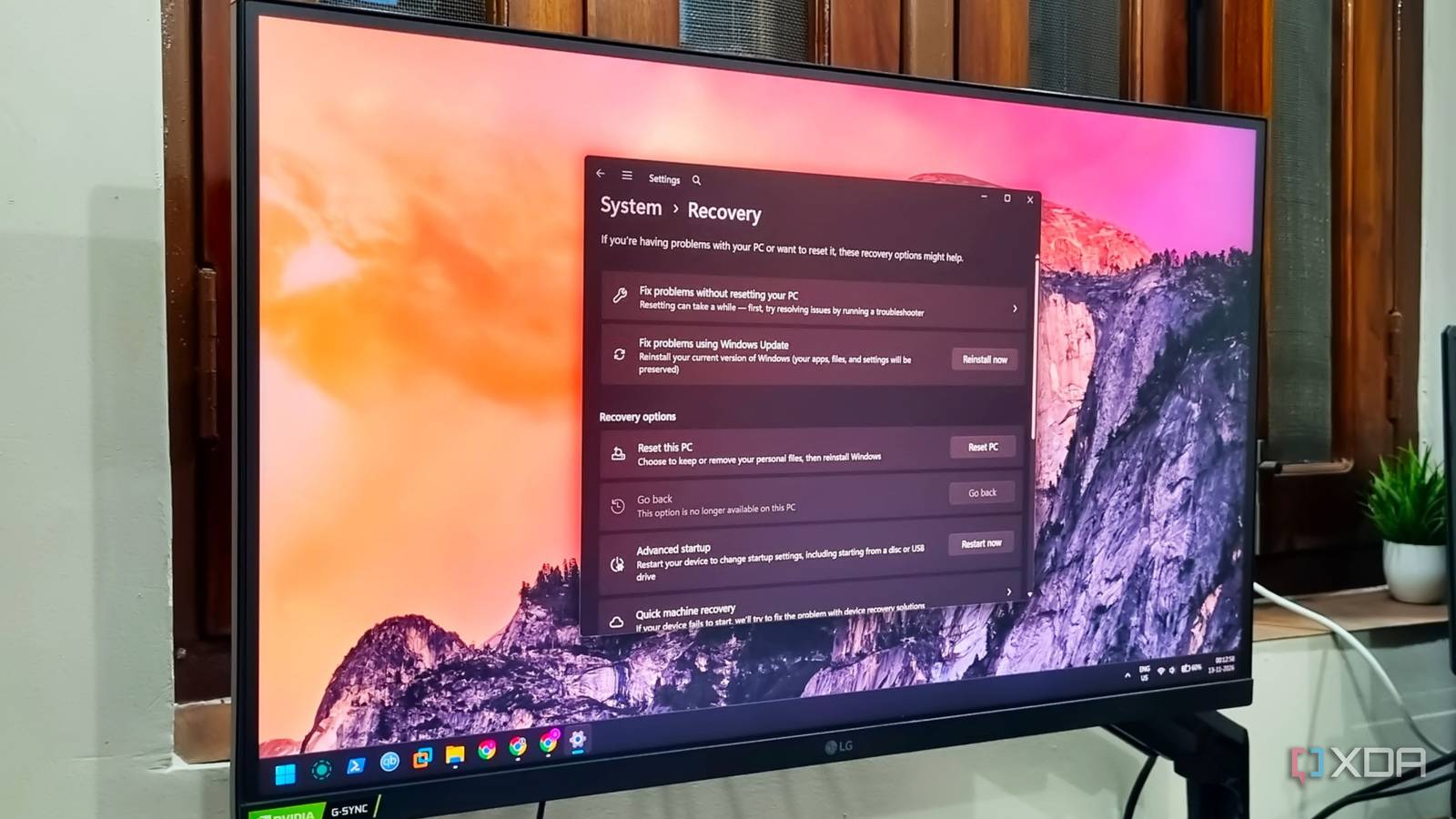
Key FactsWindows 11 can reinstall without deleting files
Nov 13, 2026 · Reading time: ~30 sec.
Summary created with AI assistance · Source: xda-developers.com
- Start the process under Settings > System > Recovery by selecting “Reinstall now.”
- Windows temporarily downloads files and components; a stable internet connection and a restart are required.
- Unlike “Reset this PC” with “Keep my files,” the repair also preserves installed software and drivers.
- The author recommends trying DISM and SFC first and says system cleaners cannot fix serious Windows installation problems.

You can now restore Windows 11 even if it can’t boot up – here’s how - ZDNET: Microsoft's new Cloud rebuild option can bring your Windows back to a clean ...
zdnet.com/article/cloud-rebuild-restores-windows-11-when-it-cant-boot-up/

Windows 10/11 Patchday November: The major security update is here: Microsoft has released security updates for Windows 10 and Windows 11 for the November ...
winfuture.de/news,162582.html


10 Upcoming Windows 11 Features You Can Try Before Everyone Else: Microsoft is making major changes to Windows 11, and Insider builds let you test them early ...
uk.pcmag.com/migrated-3765-windows-10/168330/10-upcoming-windows-11-features-you-can-try-before-everyone-else

Key FactsFour built-in Windows system recovery tools
Oct 30, 2026 · Reading time: ~30 sec.
Summary created with AI assistance · Source: xda-developers.com
- Settings > System > Recovery offers a Windows Update reinstall that keeps apps, files, and settings in place.
- If Windows still boots, problem updates can be removed through Update history; otherwise, they can be uninstalled in the recovery environment.
- Since June 2026, Point-in-time restore has captured system-drive snapshots about every 24 hours, retaining them for up to 72 hours; later changes are lost.
- Quick machine recovery checks online for Microsoft fixes after several failed boots and is enabled by default on unmanaged Windows 11 Home and Pro PCs.

Microsoft fixes over 1,000 Windows flaws - and one is being exploited - ZDNET: With the November Patch Tuesday rollout, you can finally customize your ...
zdnet.com/tech/november-windows-11-update-customizable-right-click-menu/
Microsoft releases Windows 10 KB5099539 extended security update: Microsoft has released the Windows 10 KB5099539 extended security update, which includes the ...
bleepingcomputer.com/news/microsoft/microsoft-releases-windows-10-kb5099539-extended-security-update/
Key FactsJuly 2026 Windows 10 Update KB5099539 Released
Jul 14, 2026 · Reading time: ~30 sec.
Summary created with AI assistance · Source: neowin.net
- The cumulative update KB5099539 for Windows 10 versions 21H2 and 22H2 addresses several known issues.
- Fixes include problems with OLE Automation, File Explorer's OneDrive shortcut, Recycle Bin dialogs, and hotkey handling.
- Security enhancements feature dynamic reporting of Secure Boot status and expanded certificate deployment.
- Networking and Remote Desktop components received updates, adding SHA-2 certificate support and network security hardening.


Windows 11 26H2: The end of endless restarts: Microsoft will coordinate driver, .NET, and firmware updates with the monthly quality update and reduce forced ...
pcgameshardware.de/Windows-Software-277633/News/11-26H2-weniger-Neustarts-pro-Monat-1545395/

on.mash.to Feb 26

Limited-time offer: Windows 11 Pro lifetime license for just $12.97: Upgrade once. Enjoy Windows 11 Pro for life.
mashable.com/article/feb-25-microsoft-windows-11-pro


Windows 11: New features and improvements in the Release Preview Channel: Microsoft recently released Windows 11 builds 22621.4247 and 22631.4247 for insiders in ...
stadt-bremerhaven.de/windows-11-neue-features-und-verbesserungen-im-release-preview-channel/

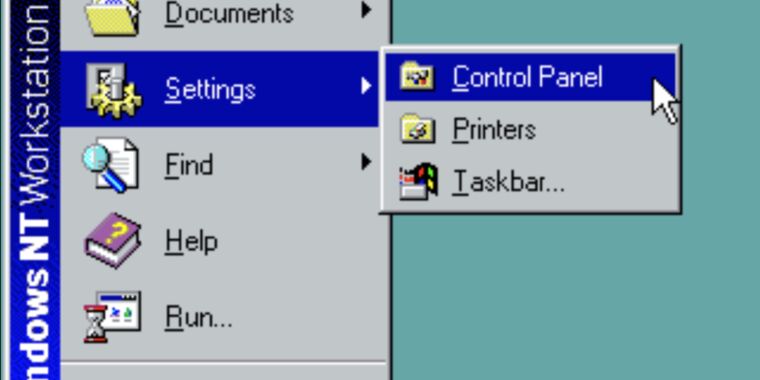
Microsoft backtracks on deprecating the 39-year-old Windows Control Panel: The Settings app has taken over, but Control Panels aren't going anywhere yet.
arstechnica.com/gadgets/2024/08/microsoft-formally-deprecates-the-39-year-old-windows-control-panel/


Microsoft just added this 'top requested feature' to Windows 11: New feature means you will be able to create, manage, and organize multiple files in a single ...
zdnet.com/article/microsoft-just-added-this-top-requested-feature-to-windows-11/
Next