
OpenPrinting keeps old printers working – even on Windows:
Or, how to make an unsupported printer work on Windows 11 with Ubuntu and WSL2
theregister.com/2022/11/10/openprinting_keeps_old_printers_working/
Story Details
| Last Updated | |
| Total Articles | 1 |
Main Topics

umbrella term for technologies used to handle information and aid communication

Similar to This
Previous


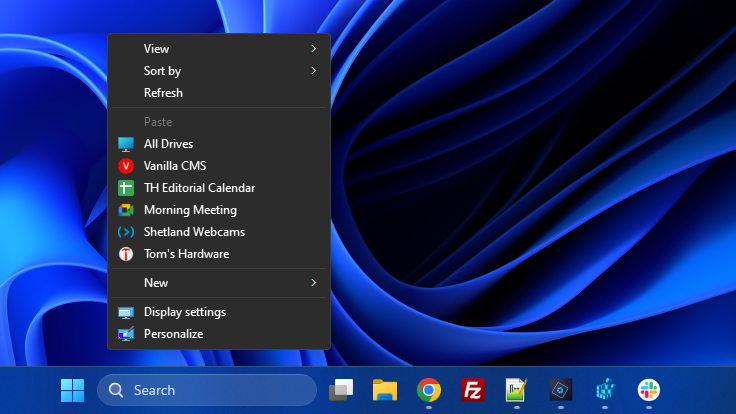
How to Add Custom Shortcuts to the Windows 11 or 10 Context Menu: Add links to your favorite programs or sites to the right-click menu.
tomshardware.com/software/windows/how-to-add-custom-shortcuts-to-the-windows-11-or-10-context-menu

Could immutability be a Leap too far for openSUSE users?: Update on Linux distro's next major version heralds big changes ahead
theregister.com/2024/01/17/opensuse_confirms_leap_16/

10 obscure Windows features that will blow your mind: These quick tips will help you save time and get organized, on Windows 10 and 11 alike.
pcworld.com/article/702039/10-hidden-windows-features-that-will-blow-your-mind.html


Windows 11 Pro's encryption can slow down SSDs by nearly 50%: BitLocker encryption in Windows 11 Pro is designed to safeguard data and ensure it is only ...
techspot.com/news/100569-windows-11-pro-encryption-can-slow-down-ssds.html

How to repair USB 3.0 ports in Windows 11: USB 3.0 is still one of the most popular USB standards. However, it can happen that the USB 3 ...
pcworld.com/article/2091413/to-repair-usb-3-0-ports-under-windows-11.html
Key FactsFix USB 3.0 ports in Windows 11
Oct 11, 2023 · Reading time: ~30 sec.
Summary created with AI assistance · Source: pcworld.com
- USB 3.0 provides 10 times faster speeds than USB 2.0 and is more energy efficient.
- Sometimes, the USB 3.0 ports on the Windows 11 PC unexpectedly stop working.
- Update your Windows drivers to restore the USB 3.0 ports.
- After restarting the PC, the USB 3.0 ports should function again.

Solidigm P44 Pro SSD review: The best and getting better all the time: Not only did the Solidigm P44 Pro take the top spot overall among PCIe 4.0 SSDs ...
pcworld.com/article/2040455/solidigm-p44-pro-nvme-ssd-review.html
China's openKylin 1.0 arrives. Our verdict? Not a bad-looking, er, Ubuntu remix: It's certainly not the country's 'first homegrown open source ...
theregister.com/2023/07/07/openkylin_is_ubuntu/

How to Check the Health of Your Laptop's Battery in Windows: Whether you're still running Windows 10 or upgraded to Windows 11, a Windows battery report will ...
pcmag.com/how-to/how-to-check-your-laptops-battery-health-in-windows-10
An unexpectedly fresh blast from the past, Freespire 9.5 has landed: Remember Linspire, formerly known as LindowsOS? It's now Freespire and thriving
theregister.com/2023/05/15/freespire-95-breezes-in/


47 Best Early Black Friday Deals (2022): Robot Vacuums, Phones, Instant Pots: The big sale isn’t here quite yet, but you can already get killer deals on laptops ...
wired.com/story/best-early-black-friday-deals-2022-1/
No TPM chip? No problem!

Microsoft Offers TPM 2.0 Bypass to Install Windows 11 on Unsupported PCs: However, the company warns that installing Windows 11 on unsupported hardware may cause ...
pcmag.com/news/microsoft-offers-tpm-20-bypass-to-install-windows-11-on-unsupported-pcs
Linux Mint 21 hits beta, and it's looking fresh: 'Vanessa' is shaping up nicely – Ubuntu could learn a thing or two
theregister.com/2022/07/14/mint_21_beta/

Take Your Music Offline. I Found 5 Easy Ways to Convert YouTube Videos to MP3s: Tired of logging onto YouTube to hear your favorite songs? If you need an offline ...
pcmag.com/how-to/convert-youtube-videos-to-mp3-files

How to Run Android Apps in Windows 11: Want to run mobile apps in Windows? Here's how to install the Amazon Appstore and download Android apps on your Windows 11 ...
pcmag.com/how-to/how-to-run-android-apps-in-windows-11

Synology: Transfer hard drives: Transferring existing hard drives from one NAS to the next is child's play. The following procedure awaits you. [...]
computerwelt.at/news/synology-festplatten-transferieren/

Which OS Is Best: Windows, macOS, Linux, or ChromeOS?: Not sure which desktop operating system is best for you? We help you choose by comparing the top options ...
pcmag.com/picks/windows-vs-macos-vs-chrome-os-vs-ubuntu-linux-which-operating-system-reigns
Next