
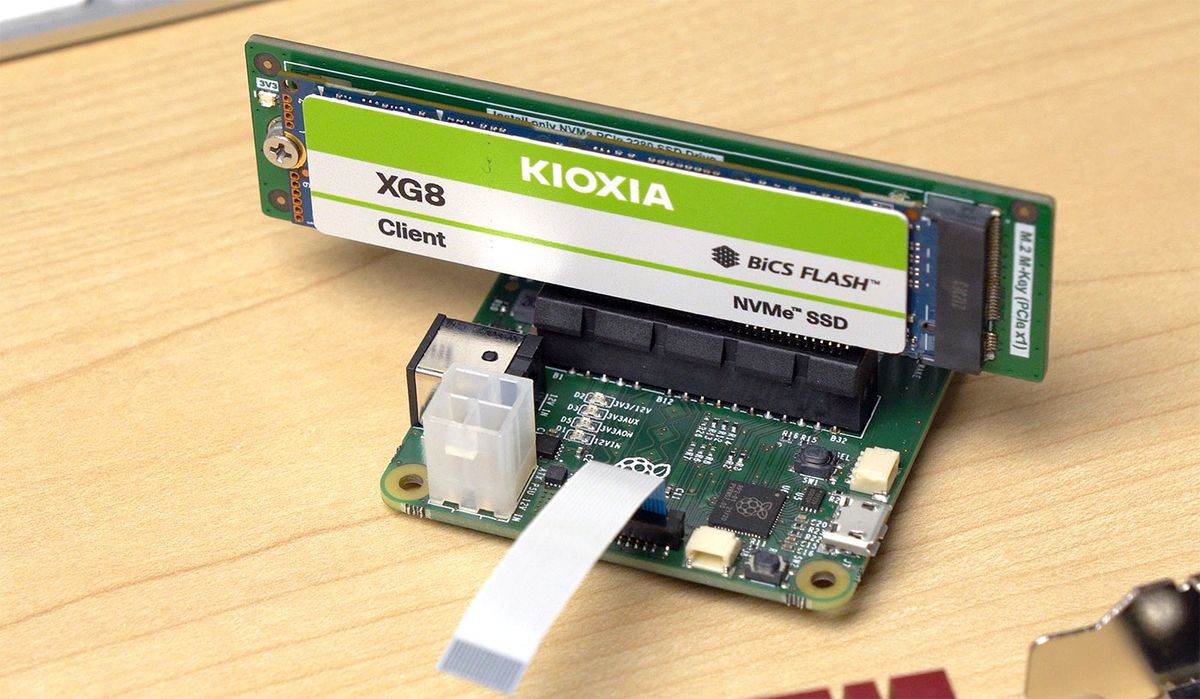
Sneak Peek at Booting Raspberry Pi 5 From an NVMe SSD:
Ahead of the official release of the M.2 HAT, Jeff Geerling goes over his experience so far in booting the ...
tomshardware.com/news/raspberry-pi-5-nvme-boot
Story Details
| Last Updated | |
| Total Articles | 2 |
Main Topics

series of low-cost single-board computers used for educational purposes and embedded systems

semiconductor-based data storage medium, often used for auxiliary memory to store data

News on this topic


Mini computer: Raspberry Pi 5 already boots from NVMe - Golem.de: A Youtuber has already tested the PCIe interface of the Raspberry Pi 5 - with mixed results ...
golem.de/news/mini-computer-raspberry-pi-5-bootet-bereits-von-nvme-2310-178707.html
Similar to This
Previous

4 Raspberry Pi projects that replace paid subscriptions at home: Save money with these game-changing self-hosted alternatives for Raspberry Pi and ditch paid ...
xda-developers.com/4-raspberry-pi-projects-that-replace-paid-subscriptions-at-home/
Replacing Raspberry Pi OS with this lightweight distro made my SBC faster than any hardware upgrade
xda-developers.com/replacing-raspberry-pi-os-with-distro-made-sbc-faster-hardware-upgrade/

The Raspberry Pi 5 16GB now costs $385, more than triple its launch price: Earlier this week, Raspberry Pi co-founder and CEO Eben Upton announced another price ...
techspot.com/news/114465-raspberry-pi-5-16gb-now-costs-385-more.html

I gave my Raspberry Pi a USB SSD instead of a microSD card, and performance gains weren't the only benefit
xda-developers.com/i-gave-my-raspberry-pi-a-usb-boot-drive-instead-of-a-microsd-card/


Don't Buy, DIY: 6 Fun Projects You Can Try With Your Raspberry Pi: Want to spice up your Pi? Here are 6 fun projects you can try this weekend to create more ...
pcmag.com/how-to/6-raspberry-pi-projects-you-can-try-diy-dont-buy

I quit paying for storage by building a Raspberry Pi cloud backup system: I gave my always-on Pi one more job and stopped renting storage
androidpolice.com/quit-paying-for-storage-building-raspberry-pi-cloud-backup-system/

Please stop buying the fastest SD card for your Raspberry Pi: Discover why high-speed SD cards may not be the best choice for your Raspberry Pi projects and ...
xda-developers.com/please-stop-buying-fastest-sd-card-for-raspberry-pi/

4 reasons you shouldn't boot your Raspberry Pi from a microSD card
xda-developers.com/reasons-you-shouldnt-boot-your-raspberry-pi-from-a-microsd-card/


Raspberry Pi 500+ puts the Pi, 16GB of RAM, and a real SSD in a mechanical keyboard
arstechnica.com/gadgets/2025/09/raspberry-pi-supercharges-its-keyboard-pc-with-16gb-ram-ssd-mechanical-switches/


Raspberry Pi upgraded its keyboard computer with mechanical switches and SSD storage
theverge.com/news/786369/raspberry-pi-500-plus-mechanical-keyboard-computer-ssd

With just a Raspberry Pi, you can host your own offline Wikipedia: here's how I did it
xda-developers.com/raspberry-pi-host-offline-wikipedia/


I turned a Raspberry Pi 5 into a real SSD-powered PC for less than $200: Get started with the new, faster model of the minicomputer.
pcworld.com/article/2583964/i-built-a-maxed-out-raspberry-5-pc-with-an-ssd-for-under-200-you-can-too.html
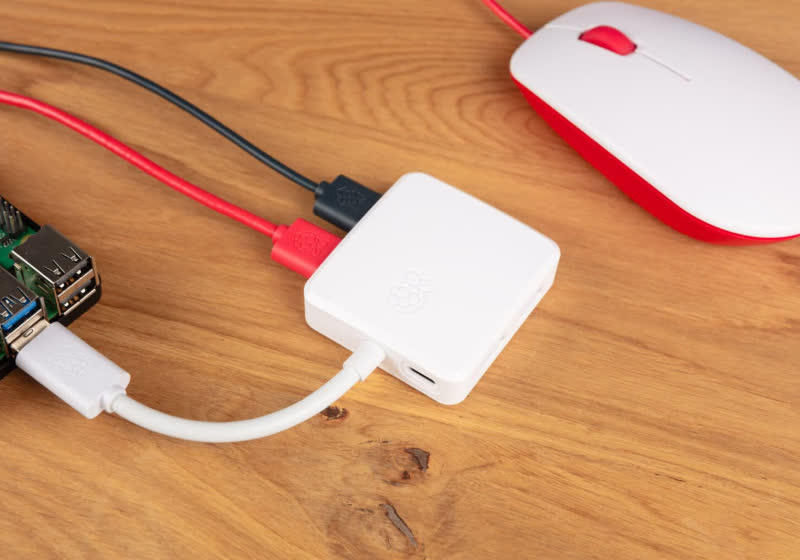
Need more ports? Raspberry Pi launches $12 USB hub for expanded connectivity: Founder Eben Upton said the team decided to build their own USB hub after becoming ...
techspot.com/news/105478-need-more-ports-raspberry-pi-launches-12-usb.html


Single-board computer: Raspberry Pi 5 now with official SSDs: The Raspberry Pi 5 DIY computer is getting a Raspberry Pi SSD kit, consisting of a Raspberry Pi M ...
pcgameshardware.de/Raspberry-Pi-Hardware-257637/News/Einplatinencomputer-Raspberry-Pi-5-jetzt-mit-offiziellen-SSDs-1458267/

Give your Raspberry Pi blazing-fast SSD speed with this PCIe add-on: Although the Raspberry Pi 5 has a PCIe interface, it does not have a slot for a PCIe SSD ...
pcworld.com/article/2411867/pcie-ssd-for-raspberry-pi-5-annoying-hobbyist-problem-solved.html

Sunfounder's Pironman 5 Raspberry Pi desktop case comes with RGB LEDs and SSD support
tomshardware.com/raspberry-pi/sunfounders-pironman-5-raspberry-pi-case-comes-with-rgb-leds-and-ssd-support


Short test: Operate Raspberry Pi 5 with M.2 SSD: The Pineberry Pi HatDrive adapter board! BM1L connects a fast M.2 SSD to the Raspberry Pi 5. We tried it.
heise.de/tests/Kurztest-Raspberry-Pi-5-mit-M-2-SSD-betreiben-9581242.html
Key FactsRaspberry Pi 5: M.2-SSD Short Test
Dec 23, 2023 · Reading time: ~30 sec.
Summary created with AI assistance · Source: heise.de
Summary created with AI assistance · Source: heise.de
- The Raspberry Pi 5 can boot from various storage devices, including USB storage and NVMe SSD.
- Connecting an M.2 SSD requires an adapter board such as the 26 Euro HatDrive.
- Before screwing the adapter, secure the SSD to allow for later access.
- The ribbon cable to the adapter blocks access to the Micro-SD card.
Next