

Microsoft reveals more about its Windows 365 GPU-enabled Cloud PC public preview:
Microsoft has revealed more information on its new Windows 365 GPU-enabled ...
neowin.net/news/microsoft-reveals-more-about-its-windows-365-gpu-enabled-cloud-pc-public-preview/
Story Details
| Last Updated | |
| Total Articles | 1 |
Main Topics

specialized electronic circuit; graphics accelerator

task manager application included with the Windows NT family of operating systems

Similar to This
Previous

What Does An NPU Do And Why Do So Many Laptops Have Them?: Wondering what an NPU actually does and whether you even need it? We've got you covered.
engadget.com/2311854/what-is-npu-why-many-laptops-have-them/


Where did the graphics memory go? Open-source task manager helps: Microsoft's Vice President Scott Hanselman has introduced an open-source GPU task manager ...
pcgameshardware.de/Tools-Software-156186/News/GPU-Taskmanager-VRAM-Belegung-GPU-Auslastung-1559387/


Free open-source GPU task manager reveals exactly what's eating your VRAM — Microsoft VP's new GPU Taskman tool reveals every process using your GPU ...
tomshardware.com/pc-components/gpus/open-source-gpu-task-manager-reveals-exactly-whats-eating-your-vram-microsoft-vps-new-gpu-taskman-tool-reveals-every-process-using-your-gpu-how-much-memory-each-uses-and-breaks-down-ai-and-llm-workloads

WindowsCentral Nov 06

This free app explains where your GPU memory actually goes, and it comes from a Microsoft engineer
windowscentral.com/hardware/gpus/this-free-app-explains-where-your-gpu-memory-actually-goes-and-it-comes-from-a-microsoft-engineer
Key FactsMicrosoft Engineer Releases Unofficial GPU Monitor
Nov 6, 2026 · Reading time: ~45 sec.
Summary created with AI assistance · Source: xda-developers.com
Summary created with AI assistance · Source: xda-developers.com
- Microsoft Vice President Scott Hanselman released gputaskman; he is also a Member of Technical Staff.
- The app provides detailed GPU-use readings for individual models and processes, rather than only an overall figure.
- It shows whether LLMs, browsers, desktop compositors, or renderers are using GPU memory.
- GitHub offers a portable download of the app that requires no installation.
“Task Manager says ‘15 GB used.’ This tries to answer: by what? Model weights? KV cache? Your browser? The desktop compositor? And why is so much GPU memory in system RAM?”— Scott Hanselman, Microsoft engineer and creator of gputaskman, describing the questions the app aims to answer about GPU memory usage.

New tool from Microsoft developer shows detailed GPU utilization: A Microsoft developer has released a new tool that provides detailed insights into graphics ...
winfuture.de/news,162491.html


Nvidia's RTX Spark has an NPU it barely mentions, and I spent a week figuring out what it actually is
xda-developers.com/nvidia-rtx-spark-npu-barely-mentions-spent-week-figuring-out/
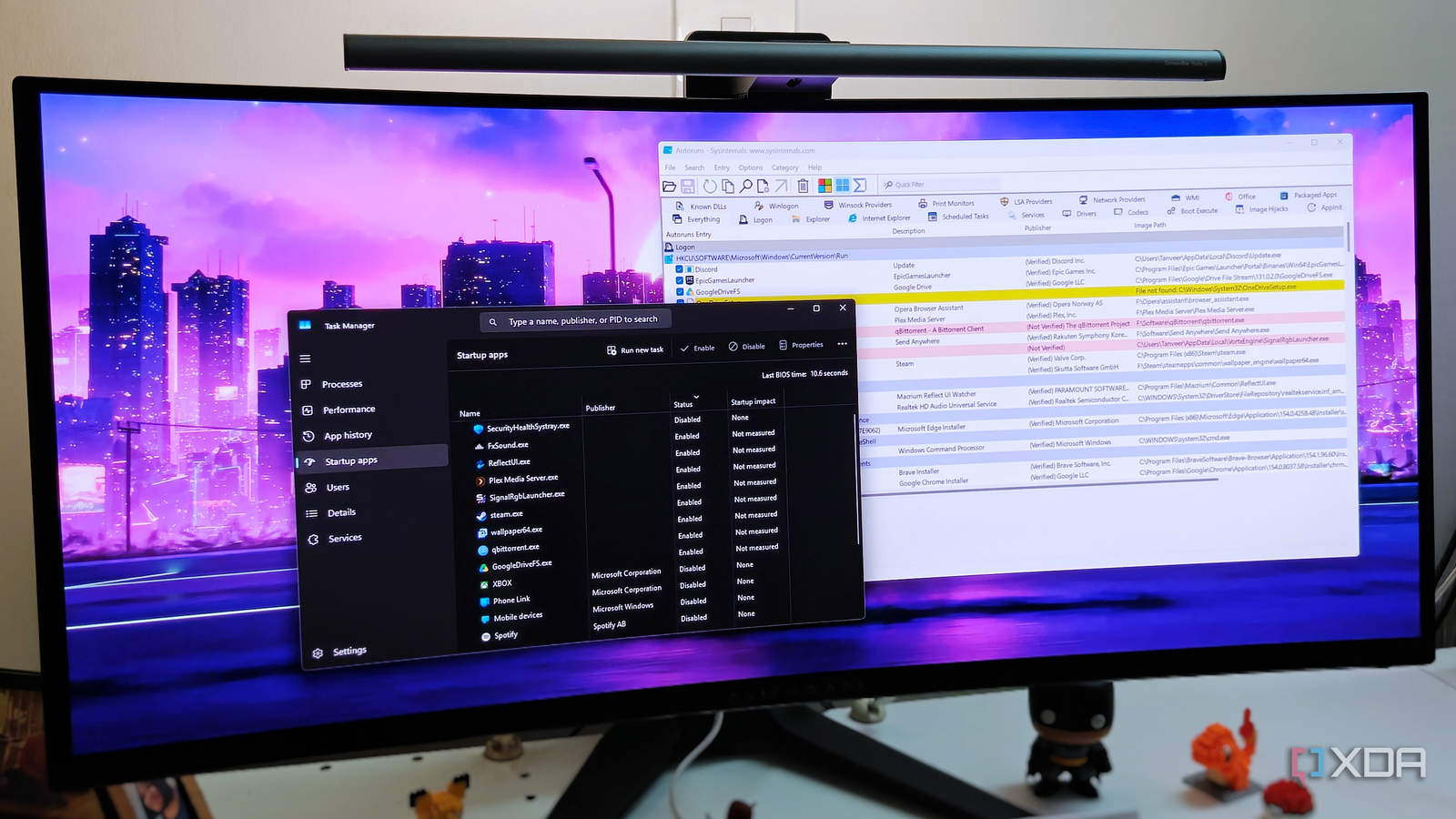
This free Microsoft tool exposes all the startup apps that Task Manager hides from you
xda-developers.com/free-microsoft-tool-exposes-startup-apps-task-manager-hides/
Key FactsMicrosoft’s Autoruns exposes hidden Windows 11 startup items
Oct 5, 2026 · Reading time: ~30 sec.
Summary created with AI assistance · Source: xda-developers.com
Summary created with AI assistance · Source: xda-developers.com
- Task Manager scans personal and shared Startup folders plus standard registry keys, but not scheduled tasks or Windows services.
- Microsoft’s free Sysinternals utility Autoruns lists all programs, processes, and services loaded at startup under its Everything tab.
- It can reveal leftover scheduled tasks, shell extensions, and registry entries pointing to missing files.
- The article recommends hiding Microsoft entries; yellow items with missing files are considered safe to remove, while pink items are not automatically harmful.

Microsoft brings improved Windows 11 hardware monitoring with upgraded Task Manager
neowin.net/news/microsoft-brings-improved-windows-11-hardware-monitoring-with-upgraded-task-manager/
Microsoft brings improved Windows 11 hardware monitoring with upgraded Task Manager
neowin.net/news/microsoft-brings-improved-windows-11-hardware-monitoring-with-upgraded-task-manager/


How to detect graphics card overload in Windows 10: Learn how to check GPU usage in Windows 10, identify bottlenecks, and optimize your graphics card's ...
fr.de/verbraucher/gpu-auslastung-in-windows-10-pruefen-grafikkarte-ueberwachen-zr-94433439.html

VideoCardz Apr 25

Windows 11 Task Manager will show GPU neural engines on Performance page: Microsoft Task Manager update will show Neural Engines in Windows 11 with more detailed ...
videocardz.com/newz/windows-11-task-manager-will-show-gpu-neural-engines-on-performance-page

Dev: This is what the Task Manager would look like if I were still here!: What would the Windows Task Manager look like if retro arcade met AI? Former Microsoft ...
pcgameshardware.de/Windows-Software-277633/News/So-wuerde-der-Taskmanager-aussehen-wenn-ich-noch-da-waere-1516067/


This Free Windows App Reveals Hidden CPU, GPU And Disk Performance Spikes: The main function of AppControl is that it shows historical data rather than just ...
hothardware.com/news/this-free-windows-app-reveals-hidden-cpu-gpu-and-disk-performance-spikes

Steam's new Performance Overlay is more accurate than Task Manager, says Valve — GPU utilization monitoring comes directly to Steam in latest client beta
tomshardware.com/video-games/pc-gaming/steams-new-performance-overlay-is-more-accurate-than-task-manager-says-valve-gpu-utilization-monitoring-comes-directly-to-steam-in-latest-client-beta


The simple reasons your PC games don’t play as well as they should: If you're unhappy with your PC's gaming performance, don't start saving for ...
digitaltrends.com/computing/reasons-why-your-pc-games-dont-look-good/


VMware sees no need to Arm itself for multi-architecture multi-cloud: x86 still gets you to where the useful action is, even on the edge
theregister.com/2023/08/23/vmware_for_arm_parked/

How to check your graphics card’s GPU temperature: Knowing your graphics card's GPU temperature is vital when your PC keeps overheating ...
pcworld.com/article/3396643/how-to-check-your-graphics-card-gpu-temperature.html

Windows 11 Gets CPU, Memory and GPU Monitoring Widgets: The move makes it possible to check your computer performance with the Windows key + W shortcut ...
pcmag.com/news/windows-11-gets-cpu-memory-and-gpu-monitoring-widgets

Discord Jun 01 23
Windows 11 will now show GPU and CPU impact of your games: Microsoft is making it even easier for PC gamers to keep an eye on your CPU utilization and GPU ...
pcgamesn.com/windows-11/widgets-showing-gpu-and-cpu-impact
Next